
Activity: snoozed, removed and putting cards back
Close, snooze or finish a card and it moves to Activity. Nothing is lost. Open it from View all activity on Today.
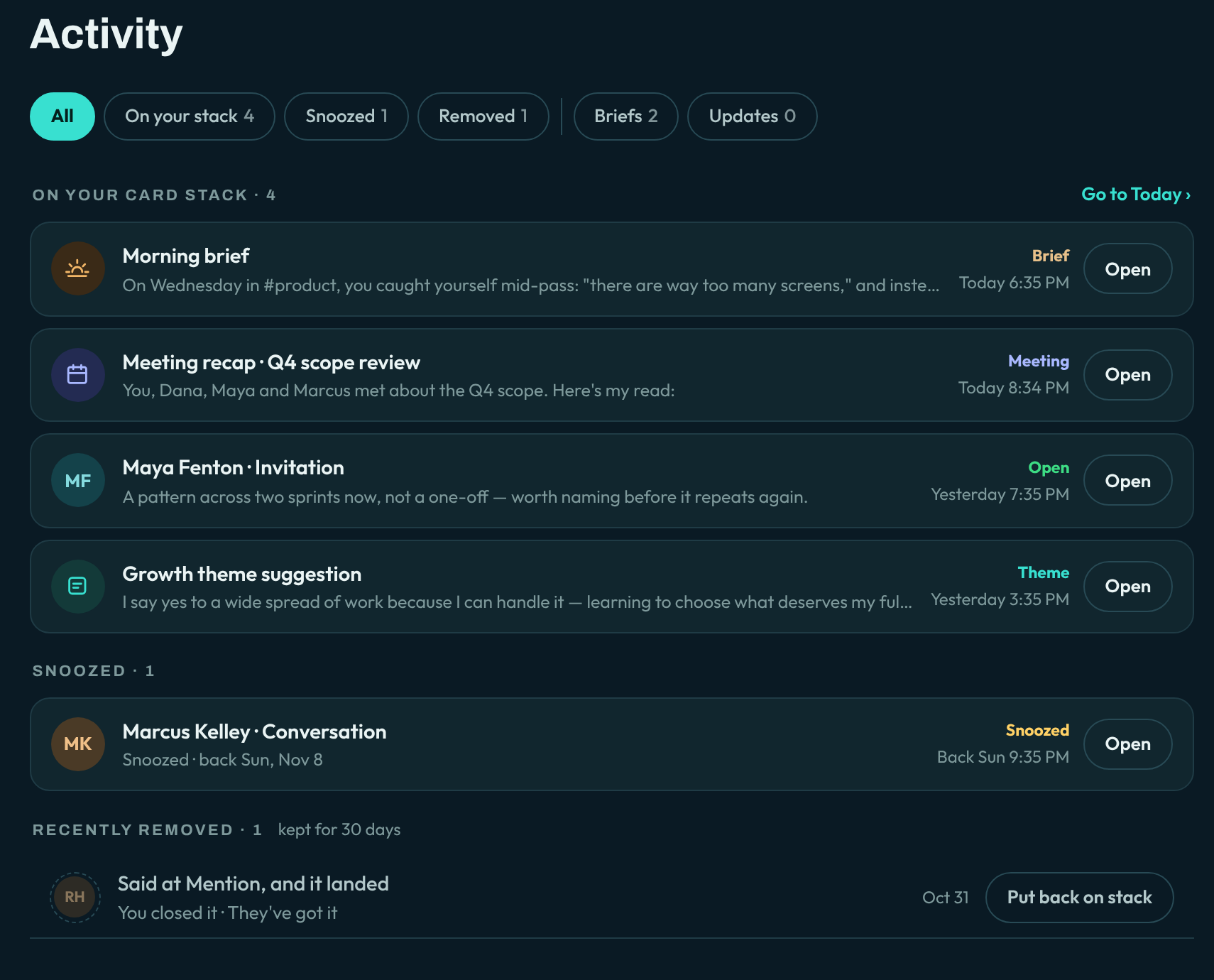
Filters
Use the chips at the top: All, On your stack, Snoozed, Removed, Briefs and Updates.
Sections
- On your card stack: what's currently on Today. Go to Today takes you there.
- Snoozed: each card shows when it comes back.
- Recently removed: cards you closed, kept for 30 days. (This replaces the old Closed filter.)
Opening and restoring cards
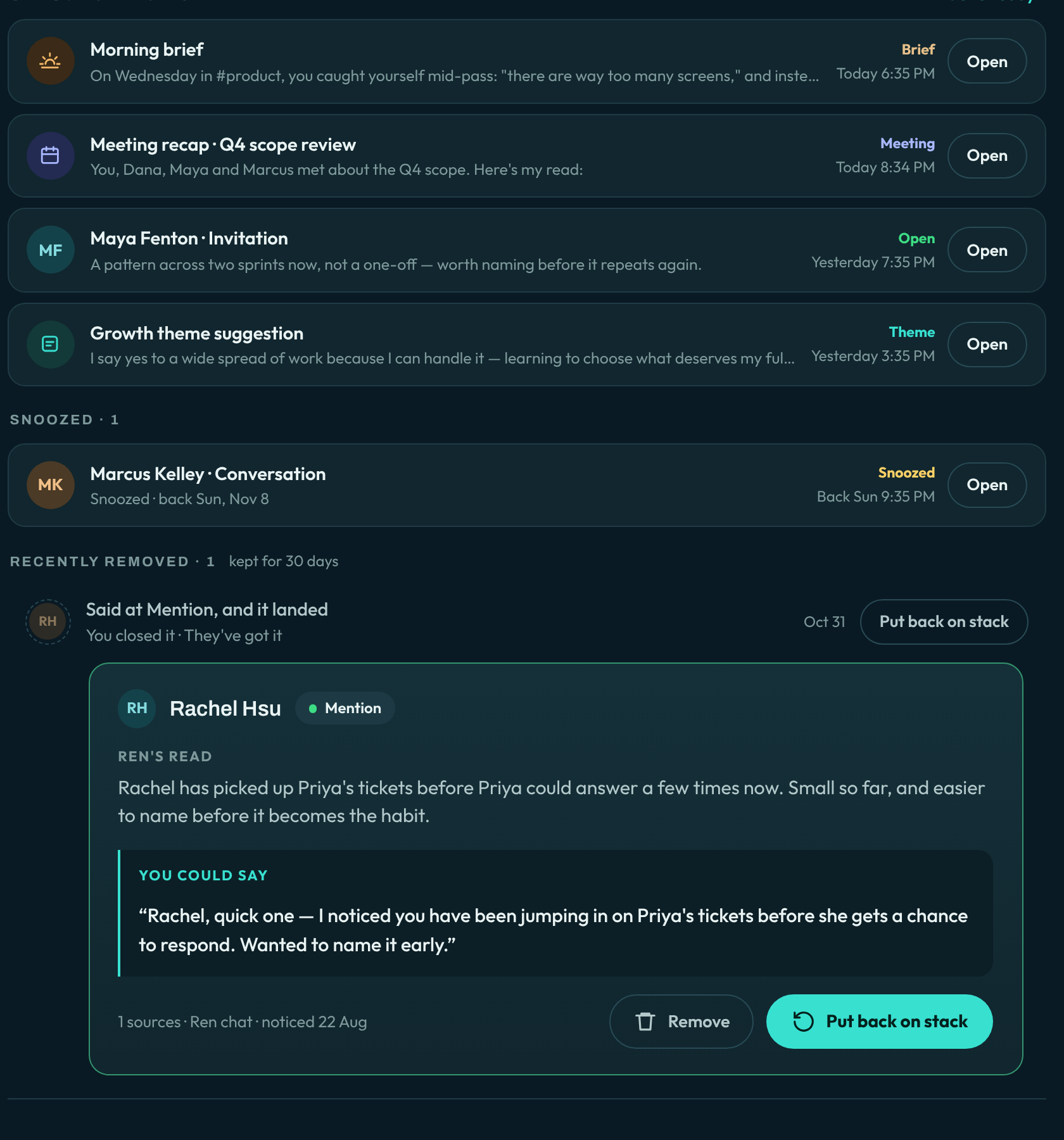
- Click Open on a row and it opens in place into the same card you saw on Today.
- Put back on stack returns a removed card to Today.
- Remove clears a card from Recently removed.
You can also start Log a Meeting from Activity.