
Subscription Cancellation Process
In this article
How to Cancel Your Ren Subscription
This article walks you through canceling your organization's Ren subscription. Cancellation is handled through our billing partner, Stripe.
Note: Only workspace admins can cancel a subscription. If you're not an admin, please reach out to your organization's admin to complete this process.
Steps to Cancel
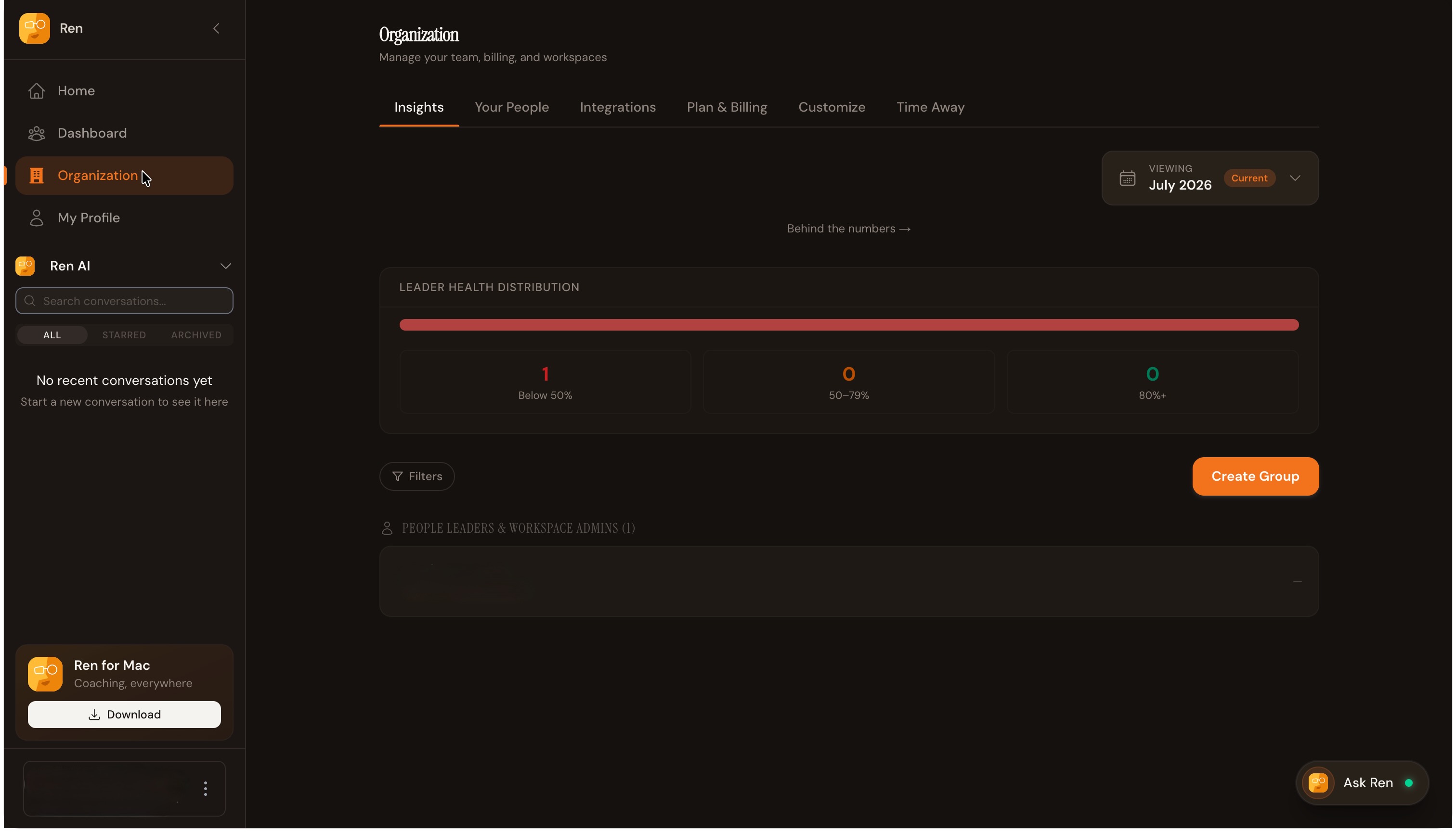
Go to Organization: From the Ren home screen, click Organization in the left sidebar.
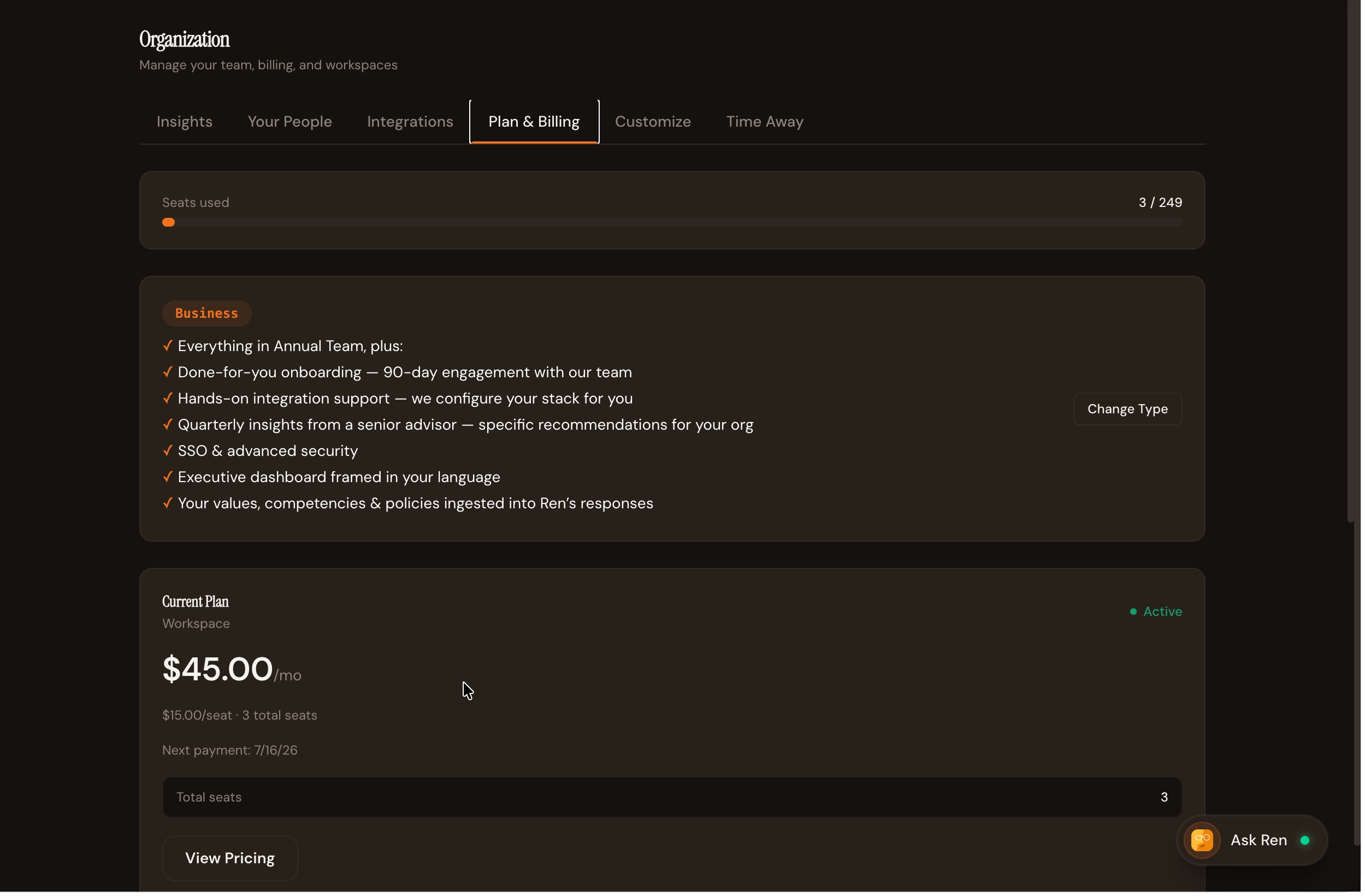
Open Plan & Billing: In the Organization page, select the Plan & Billing tab.
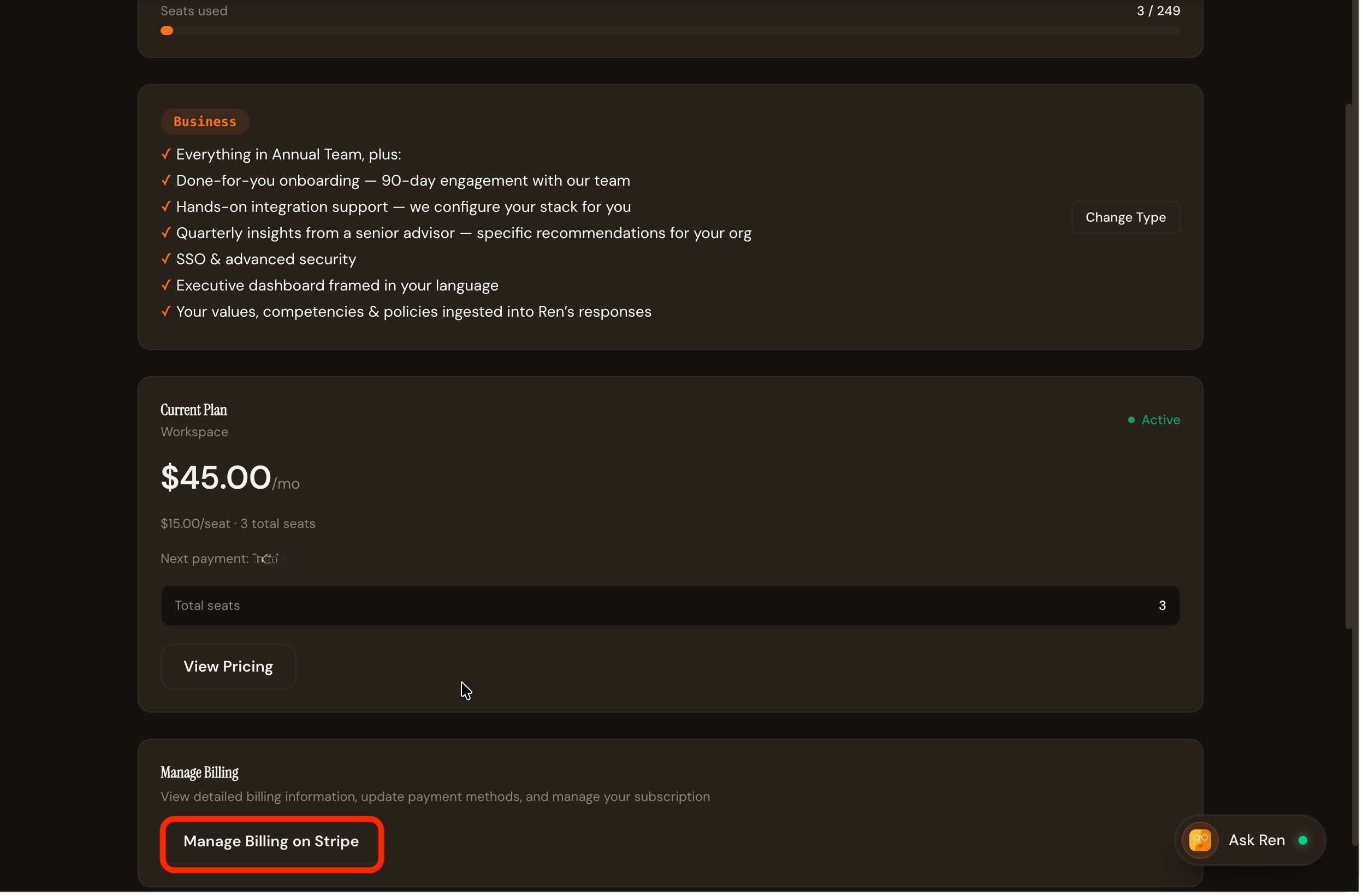
Find Manage Billing: Scroll down to the Manage Billing section, which lets you view detailed billing information, update payment methods, and manage your subscription.
Go to Stripe: Click Manage Billing on Stripe. This will open Stripe's billing portal in a new tab, where your subscription details are managed securely.
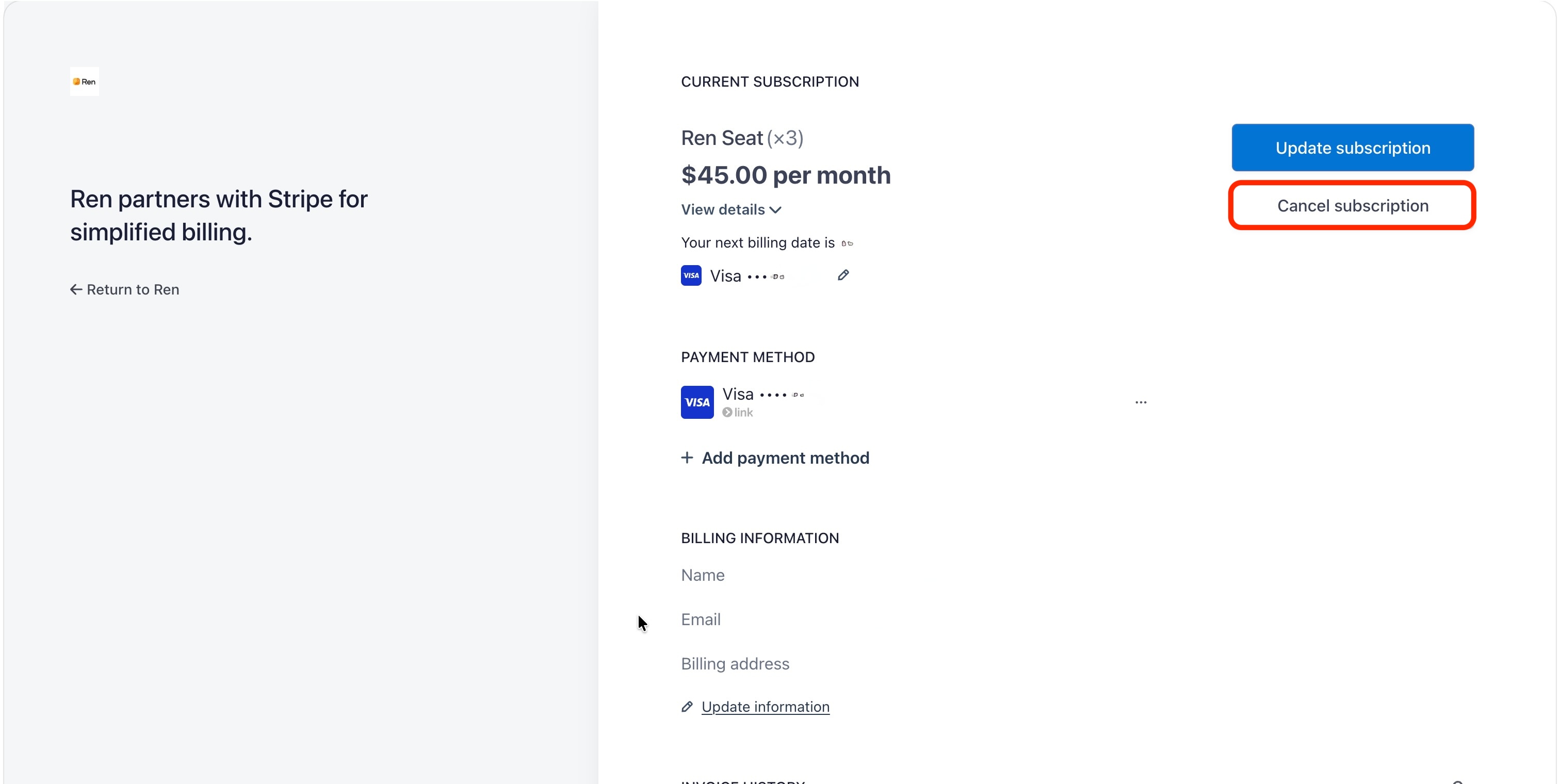
Cancel your subscription In the Stripe billing portal, locate your current subscription details and click Cancel subscription. You'll be asked to share a brief reason for canceling — select the option that best applies, then confirm to complete the cancellation.
What Happens After You Cancel
Your subscription remains active through the end of your current billing period.
Once that period ends, your workspace will lose access to Ren. You won't be charged again after cancellation is confirmed.
Need Help?
If you run into any issues during cancellation, or if you'd like to explore other options (like adjusting seats instead of canceling), please reach out to our support team.