
Connecting Ren to ChatGPT
Chat with Ren from inside ChatGPT: prep a 1:1, draft a Mention, or check on your team without leaving the conversation.
Before you start
- A Ren account with onboarding complete, in a workspace with an active subscription or trial.
- A ChatGPT plan with Developer mode. On Business, Enterprise or Edu workspaces, an admin may need to allow custom connectors first.
- Use the ChatGPT web app for setup.
1. Connect
In Ren, open Connectors and pick ChatGPT to copy the server URL and see these steps.
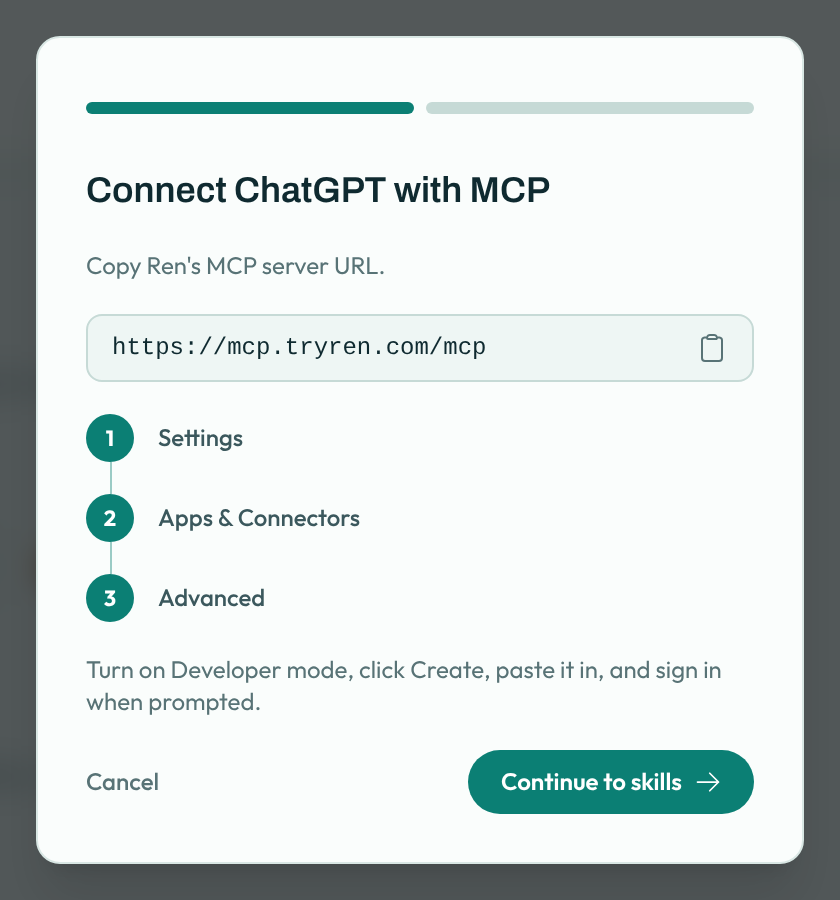
- In ChatGPT, open Settings → Apps & Connectors → Advanced settings and turn on Developer mode.
- Under Apps & Connectors, select Create.
- Name it Ren, enter the server URL
https://mcp.tryren.com/mcp, and choose OAuth for authentication. - Sign in with your Ren account when prompted.
2. Turn Ren on in a chat
In a new chat, open the + menu, choose Developer mode, and enable Ren for that conversation.
3. Add Ren's skills
Back in Ren, click Continue to skills and Download all skills. Add them following the steps shown. Skills tell ChatGPT when to bring Ren in.
Try it
Ask something like "Help me prep for my 1:1 with Sam" or "How is my team doing this month?"
See What Ren can do in your AI tools for everything it can do, and how your data is handled.