
Connecting Ren to Microsoft 365 Copilot
Chat with Ren from inside Microsoft 365 Copilot: prep a 1:1, draft a Mention, or check on your team.
Copilot can't add outside tools from inside a chat. An admin sets Ren up once in Copilot Studio, and it's then available to everyone the agent is shared with. No Copilot Studio access? Ask your IT or Power Platform admin. Your tenant may need their approval.
Before you start
- A Ren account with onboarding complete, in a workspace with an active subscription or trial.
- Access to Copilot Studio (usually an admin).
1. Connect (admin, once)
In Ren, open Connectors and pick Copilot to copy the server URL and see these steps.
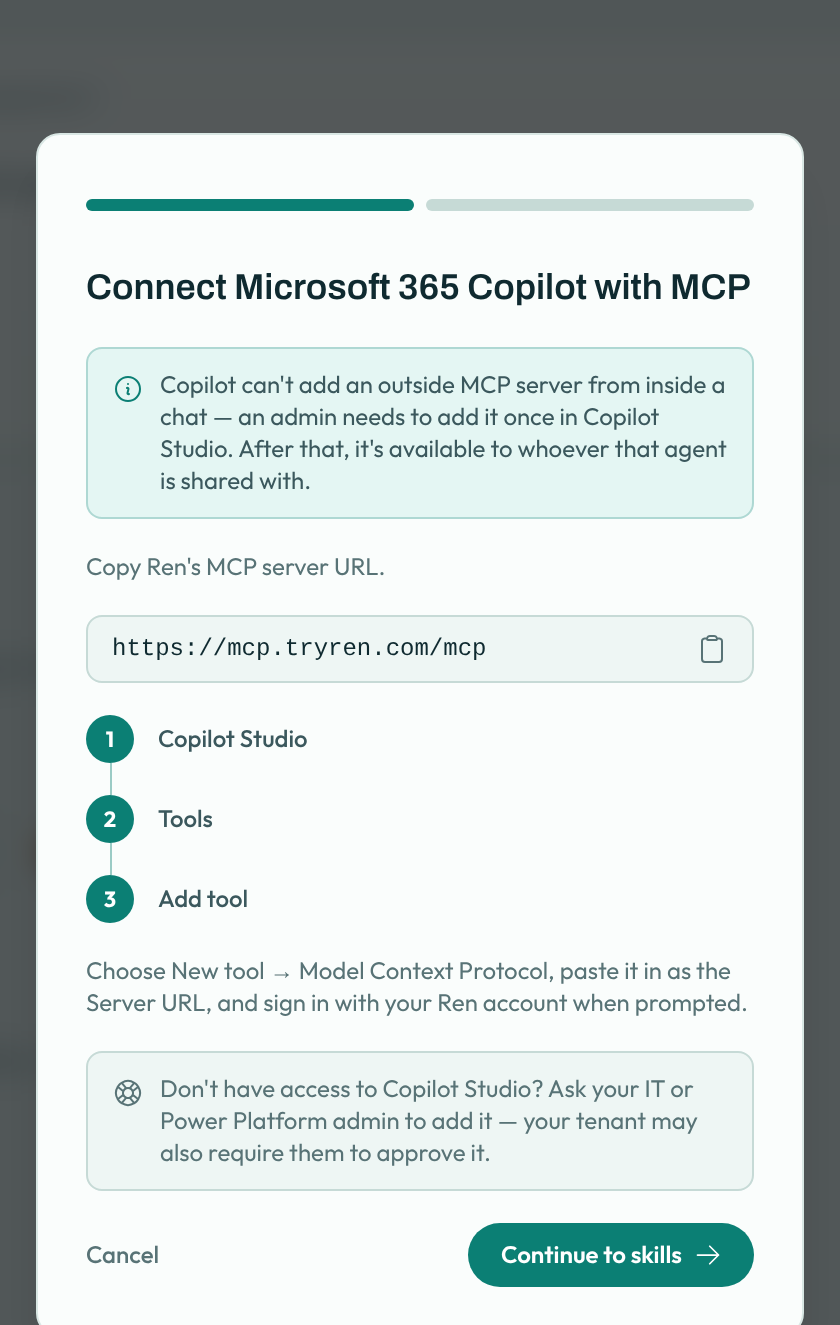
- In Copilot Studio, open your agent and go to Tools → Add tool.
- Choose New tool → Model Context Protocol and enter the server URL:
https://mcp.tryren.com/mcp - Sign in with your Ren account when prompted.
- Share the agent with the people who should use Ren.
2. Add Ren's skills
Back in Ren, click Continue to skills and Download all skills. Add them following the steps shown. Skills tell Copilot when to bring Ren in.
See What Ren can do in your AI tools for everything it can do, and how your data is handled.